










AlphaFortyOne
Landlubber
Hey there! I've just created an account because I dabbled into modding my favourite childhood game to update it as far as possible to modern standards - within a reasonable time investment. A bit like "vanilla plus", keep it as close as possible to the standard game and only fix bugs, quests or items. I'm also upgrading the textures and try to strike a balance between updated fidelty and resolution and closeness to the original intended look.
What I noticed first is that the island ground texture in Oxbay Town for example is really low res. This is migitated by featuring a heavy "noise" bumpmap (bump_land.tga.tx) which, when being softened, really makes the low res ground texture look flat and even more low res.
Does anybody know how to change this ground texture? I was not able to find it in RESOURCES/Textures (Disclaimer: I mainly use Claude AI to guide me through the project as I'm a dork in programming but use GM Viewer and ConvertorTX myself), to which I was suggested it might be done through vertex colors baked into the geometry.
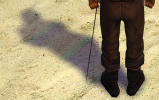
Secondly, textures like the Oxbay beach feature some greenish/reddish tints, especially visible in the shadows, that is not present in the original texture. After changing it, the issue still persists. Does anybody know what might be causing it?
What I noticed first is that the island ground texture in Oxbay Town for example is really low res. This is migitated by featuring a heavy "noise" bumpmap (bump_land.tga.tx) which, when being softened, really makes the low res ground texture look flat and even more low res.
Does anybody know how to change this ground texture? I was not able to find it in RESOURCES/Textures (Disclaimer: I mainly use Claude AI to guide me through the project as I'm a dork in programming but use GM Viewer and ConvertorTX myself), to which I was suggested it might be done through vertex colors baked into the geometry.
Secondly, textures like the Oxbay beach feature some greenish/reddish tints, especially visible in the shadows, that is not present in the original texture. After changing it, the issue still persists. Does anybody know what might be causing it?