• New Horizons on Maelstrom
    Maelstrom New Horizons


    Visit our website www.piratehorizons.com to quickly find download links for the newest versions of our New Horizons mods Beyond New Horizons and Maelstrom New Horizons!

Need Help Updating the Russian Translation

Ok, those are fixed. Two locators made small long before you arrive at Cave shore.
blue cavern: the box1 (functions for the red chest) was already made small but not goto6 which caused the stop.
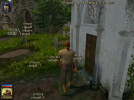
church pulpit: it was the collection box (box1) that cused the stop at the pulpit.

Also fixed another bug: if you don't read the book completely, that Defoe sent you by mail, there was problems later on when Claire and Defoe arrive.

Maybe you should equip the clothes update you found on the sloop. So coming updates will work properly.
 
Ok, those are fixed. Two locators made small long before you arrive at Cave shore.
blue cavern: the box1 (functions for the red chest) was already made small but not goto6 which caused the stop.
church pulpit: it was the collection box (box1) that cused the stop at the pulpit.

Also fixed another bug: if you don't read the book completely, that Defoe sent you by mail, there was problems later on when Claire and Defoe arrive.

Maybe you should equip the clothes update you found on the sloop. So coming updates will work properly.
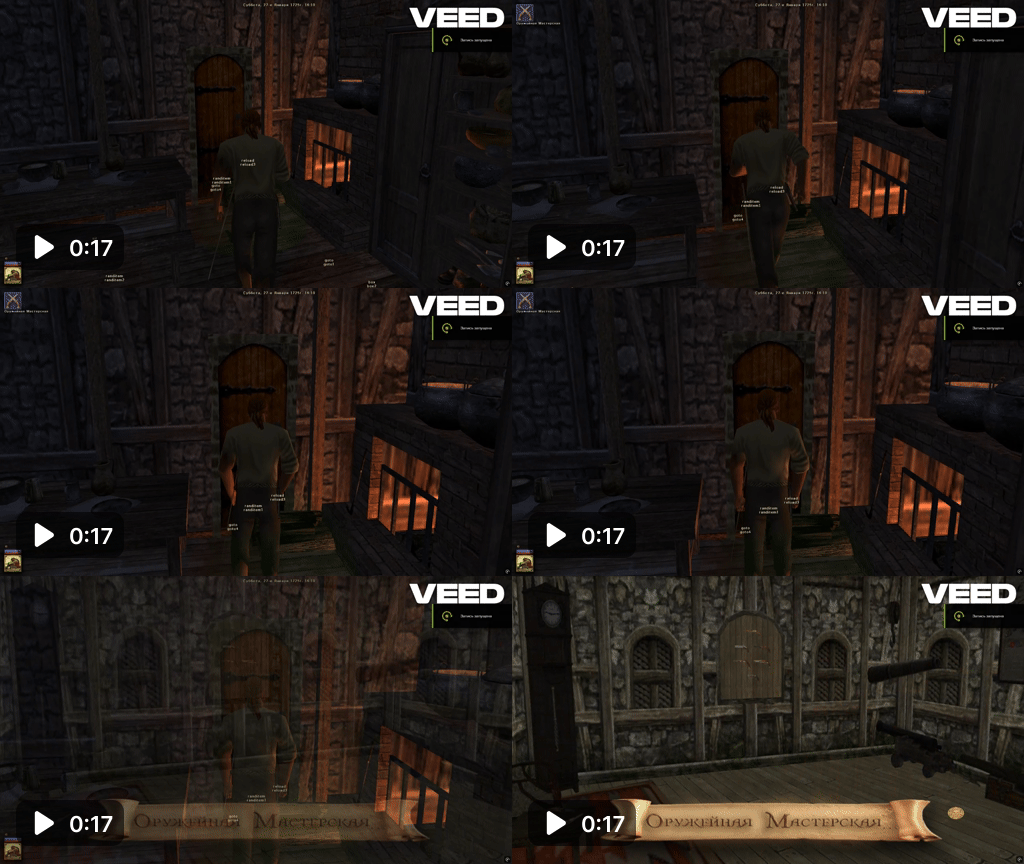
I can't seem to get any further and get through the door to the armory surgeon. The locators that used to be there are missing somewhere.
 

Attachments

  • 1783000238588.png
    1783000238588.png
    942.8 KB · Views: 29
  • -=Тест1=- Эспаньола. Ла-Тортуга port. 27-е Января 1725г.7z
    677.7 KB · Views: 12
You get only limited info from the surgeon in the small wooden house (next surgeon is the gunsmith). Ask a citizen or a town guard where
the gunsmith is located and box8 becomes large.
And so it continues...

YES YES YES no bug this time. :)
 
You get only limited info from the surgeon in the small wooden house (next surgeon is the gunsmith). Ask a citizen or a town guard where
the gunsmith is located and box8 becomes large.
And so it continues...

YES YES YES no bug this time. :)
Strangely, I've already talked to a passerby about him, but apparently the trigger didn't work. I talked again and everything worked.
But there is another problem. I can't talk to the gunsmith.
 
Last edited:
I see that you have the old version of the gunsmiths workshop.

It was included in my april-26 upload. The new sailmaker + roof too. (which will be the next step)
After april-26 there was the may-26 upload. I upload them both here and they need to be added in the right order.

Hope this doesn't cause too much trouble.
 

Attachments

  • JRH files april -26.7z
    5 MB · Views: 15
  • JRH files may -26.7z
    4.6 MB · Views: 15
I see that you have the old version of the gunsmiths workshop.

It was included in my april-26 upload. The new sailmaker + roof too. (which will be the next step)
After april-26 there was the may-26 upload. I upload them both here and they need to be added in the right order.

Hope this doesn't cause too much trouble.
I've been installing a patch, but unfortunately the location is only updated in the new game. I got to this point with the help of cheats, but now I won't get a special continuation of the plot.
 
@Jack Rackham: For what it's worth, I just downloaded both those files, unzipped them, copied them in order into one folder, then compared that to the 20th May update. Apart from a minor change to "animals.c" and a single line added to "interface_strings.txt" which refers to a new location that isn't in use yet, they're the same. (No, I'm not a time traveller and didn't manage to include files six days before they were uploaded. "may-26" presumably means "May 2026", not "26th May". xD)

@AkrimalS: Here are some files for the update to Baldewyn Coffier's quest, including files in "PROGRAM\DIALOGS\ENGLISH" with new text. Could you please do the translating?
 

Attachments

  • baldewyn.zip
    160.4 KB · Views: 11
I checked three files:

1) gunsmith_patch.ptc (Town_Tortuga) is in my april-26 pack and in the latest zip
2) skipJRH, skip_BB.tga (Textures/Characters) are in my may-26 pack and in the latest zip

So all I uploaded should be ok in the latest zip. I see no other problem than it may be an older version you are playing @AkrimalS
 
@AkrimalS, here's a way to get on the track again (with the latest version):

In WoodesRogers StartStoryline.c
outcomment line 373 (normal quest start)
and instead open up line 382 (french surgeons Tortuga).

Start with asking a soldier/citizen about surgeons etc etc.
 
1) The character "Sailmaker" does not translate.
2) If I have any flag other than Spanish, then the port of Cartagena will not appear in the fast trevel list.
And if I raise the Spanish flag, then "San Felipe Fort" disappears.
 

Attachments

  • 1783443231238.png
    1783443231238.png
    856.2 KB · Views: 18
  • 1783444074277.png
    1783444074277.png
    797.4 KB · Views: 18
2: It is normal for the port to appear if you fly a friendly flag, and for the fort to appear if you fly a hostile flag. In particular, if you fly a Spanish flag then Cartagena should appear and San Felipe fort should not. If you fly a hostile flag then San Felipe should appear and Cartagena should not.

Check the international relations screen. Is Spain hostile to everyone else? What about France?
 
1) For some reason, "Crypt" does not translate, although it is in "interface_strings.txt".
The same thing happens with "Church".
2) PROGRAM\Storyline\WoodesRogers\Locations\init\QuestLocations.c
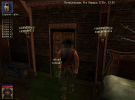
replace - locations[n].id.label = "Captains cabin";
on - locations[n].id.label = "Captain's cabin";
Then this door will be translated.
 

Attachments

  • 1412412.png
    1412412.png
    951.3 KB · Views: 17
  • 1783613314825.png
    1783613314825.png
    697.8 KB · Views: 13
  • 1783640671711.png
    1783640671711.png
    810.2 KB · Views: 13
Last edited:
The same thing happens with "Church".
PROGRAM\Storyline\WoodesRogers\SL_utils.c
replace - Logit(TranslateString("","Church "));
on - Logit(TranslateString("","Church"));
For some reason, "Crypt" does not translate, although it is in "interface_strings.txt".
PROGRAM\Storyline\WoodesRogers\Locations\init\QuestLocations.c
replace - locations[n].id.label = "Crypt ";
on - locations[n].id.label = "Crypt";
If I talk to Defoe before I step on the locator, the quest will break.
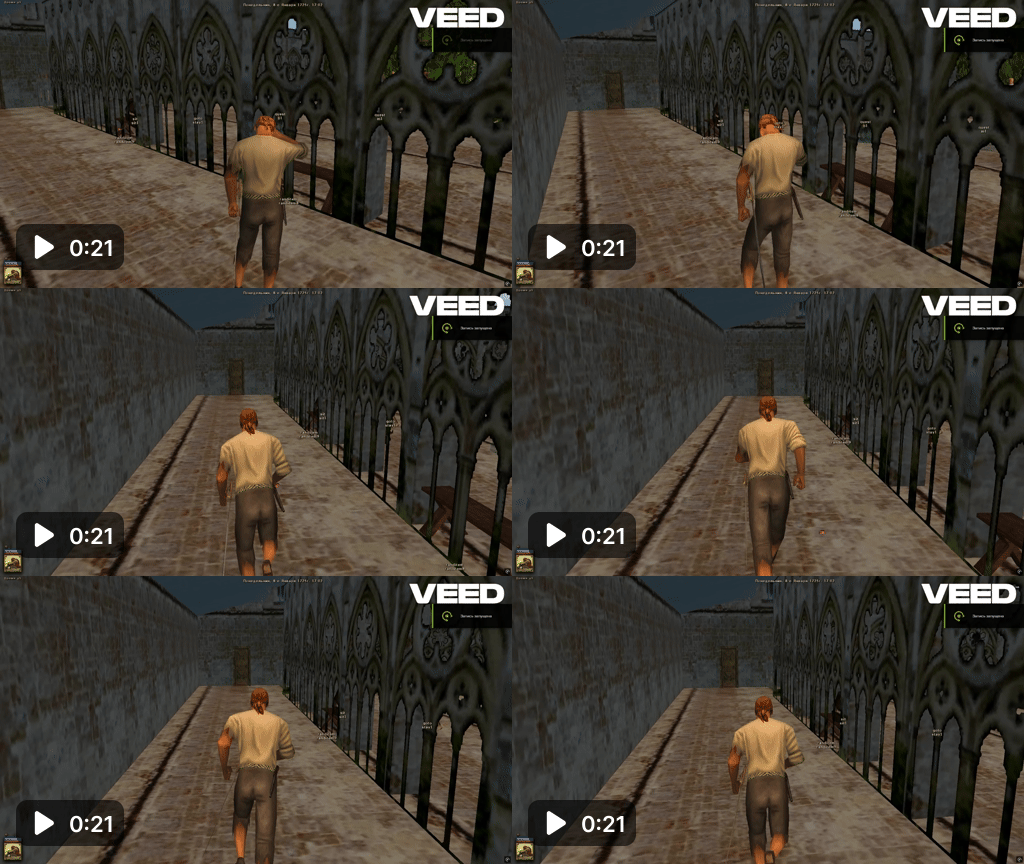
It's the same with Reverend Mother, so
PROGRAM\Storyline\WoodesRogers\quests\quests_reaction.c
case "all_abbess_items_done":
after - pchar.quest.abbess_chapel.win_condition.l1.locator = "goto11";
Insert - Locations[FindLocation("BB_monastary_chapel")].locators_radius.goto.goto11 = 3.5;

If you talk to the monks inside, the quest will break.
 
Last edited:
@AkrimalS. if you used the jumpstart direct to Tortuga etc you should also have this information (from the farm):

SetQuestHeader("Johnson");
AddQuestRecord("Johnson", "1"); AddQuestRecord("Johnson", "2");

SetQuestHeader("Charles_Eden");
AddQuestRecord("Charles_Eden", "1"); AddQuestRecord("Charles_Eden", "2");

SetQuestHeader("Israel_Hands");
AddQuestRecord("Israel_Hands", "1"); AddQuestRecord("Israel_Hands", "2"); AddQuestRecord("Israel_Hands", "3");

SetQuestHeader("Caesar");
AddQuestRecord("Caesar", "1"); AddQuestRecord("Caesar", "2"); AddQuestRecord("Caesar", "3");

SetQuestHeader("Benjamin_Hornigold");
AddQuestRecord("Benjamin_Hornigold", "3");
CloseQuestHeader("Benjamin_Hornigold");

SetQuestHeader("Blackbeards_crew"); AddQuestRecord("Blackbeards_crew", "1"); AddQuestRecord("Blackbeards_crew", "2");
AddQuestRecord("Blackbeards_crew", "3"); AddQuestRecord("Blackbeards_crew", "4"); AddQuestRecord("Blackbeards_crew", "5");

Richards should be finished after the monastary.
 
PROGRAM\Storyline\WoodesRogers\characters\init\TempQuest.c
"Maltese_soldier1", "Maltese_soldier2", Maltese_soldier3, "Maltese_soldier4", "Maltese_soldier5", "Maltese_soldier6", "Maltese_soldier7"
In all cases, the word "soldier" is spelled with a lowercase letter, which makes it look inconsistent compared to other soldiers.
Please change it:
ch.old.lastname = "soldier";
ch.lastname = TranslateString("","soldier");
on this:
ch.old.lastname = "Soldier";
ch.lastname = TranslateString("","Soldier");
 

Attachments

  • 1784076990301.png
    1784076990301.png
    700.8 KB · Views: 3
Have you tested this? Try putting this into "console.c":
Code:
for(i = 1; i<=7; i++)
{
   Characters[GetCharacterIndex("Maltese_soldier" + i)].lastname = TranslateString("","Soldier");
}
Assuming I haven't made a typo there, that should produce the on-screen message "Executed Console" - if it doesn't, there will probably be something about it in "error.log".

That should change all soldiers to use "Soldier" instead of "soldier" for the translation. But I don't think it will make any difference because translation doesn't care about case, which is why you'll find translations for "Captain" and "Scaptain", which translate to "Captain" and "captain". Otherwise, when case is important, you'll often find 'FirstLetterUp' or 'FirstLetterDown' in the code.

Which means, if you run that console command, it doesn't produce an error, and the character name still says "Maltese soldier", try this instead:
Code:
for(i = 1; i<=7; i++)
{
   Characters[GetCharacterIndex("Maltese_soldier" + i)].lastname = FirstLetterUp(TranslateString("","Soldier"));
}
 
Back
Top