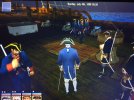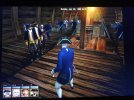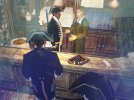

You need to put "pchar" instead of just "ch" to properly execute console but either way, the command doesn't work. I tried a few boarding models like "skeleton" and "soldier" and it didn't work.Pressing F12 didnt gave me "Executed Console" message

Visit our website www.piratehorizons.com to quickly find download links for the newest versions of our New Horizons mods Beyond New Horizons and Maelstrom New Horizons!
Join our discord server for regular podcasts/AMA about upcoming and released pirate games (Caribbean Legend, Corsairs Legacy, Ahoy, ERAS 2, etc.):

Quick links for Beyond New Horizons
- Download latest version
- Wiki
- FAQ
- Report bugs here
- Bug Tracker on Github

Quick links for Maelstrom
- Download the latest version of Maelstrom
- Download the latest version of ERAS II
- Download the latest version of New Horizons on Maelstrom
Join PiratesAhoy! on our social channels:


Quick links for PotC: New Horizons
- Download latest version
- Wiki
- FAQ
- Report bugs here


Thanks to YOUR votes, GOG.com now sells:
- Sea Dogs
- Sea Dogs: Caribbean Tales
- Sea Dogs: City of Abandoned Ships
Vote now to add Pirates of the Caribbean to the list!
Quick links for AoP2: Gentlemen of Fortune 2
- Downloads and info
- ModDB Profile
- Forums Archive
A Pirate Podcast with Interviews
Music, Comedy and all things Pirate!
- Episode Guide - About - Subscribe -
- Twitter - Facebook - iTunes - Android -
- Youtube - Fill the Coffers -
You need to put "pchar" instead of just "ch" to properly execute console but either way, the command doesn't work. I tried a few boarding models like "skeleton" and "soldier" and it didn't work.Pressing F12 didnt gave me "Executed Console" message

That version of "console.c" includes a lot of junk I added for various experiments, mostly commented out so it shouldn't have any effect. I must have accidentally included "console.c" in my last update. It won't be in the next one. But I don't know why you're not getting either the "Executed Console" message or anything about "console.c" in "error.log" - my version of "console.c" certainly works, I use it routinely.Sure. Checked error file, it doesn't say much. Uploading all relevant files
He's not getting it because he used this code:...But I don't know why you're not getting either the "Executed Console" message or anything about "console.c" in "error.log" - my version of "console.c" certainly works, I use it routinely....
ch.boardingmodels = "Merchant_Soldiers";pchar.boardingmodels = "Merchant_Soldiers";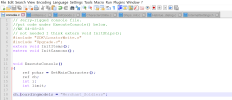
RUNTIME ERROR - file: console.c; line: 18
Using reference variable without initializing
RUNTIME ERROR - file: console.c; line: 18
AClass ERROR n1
RUNTIME ERROR - file: console.c; line: 18
function 'ExecuteConsole' stack errorI'm getting that error/error.log only when I use "ch" instead of "pchar" and no the console does not execute.Are you still getting those error messages when using "pchar.boardingmodels"? Or do you get the "Executed Console" message, no error, and no EITC uniforms?
 trace("----------------------------------------------------------");
 dumpattributes(PChar);
 trace("----------------------------------------------------------");
Oops; yes it SHOULD have been 'PChar' in that line.Why is the new reference 'ch' there? Should that not simply be:
       // Give ship
       // ------------------
       /*   for (i = 0; i < COMPANION_MAX; i++) {
               limit = GetCompanionIndex(PChar, i);
               if (limit < 0) continue;
               ch = GetCharacter(limit);
               GiveShip2Character(ch,ch.ship.type,ch.ship.name,-1,ch.ship.stats.nation,true,true);
}*/Perhaps that code simply doesn't work at all for the player? Because the player was once meant to use different code?But when I use "pchar" the console will indeed execute but no effects or changes during boarding. Even when I use other models like "skeleton" or "soldier" which will work if changed in InternalSettings.h and in a new game.

Aha!IT WORKS! Awesome. Thanks everyone...
 I see why my save wasn't executing the code properly. You need to have started the game with the default boardermodel in internalSettings.h. My save was set to "boarder".
#define BOARDERMODEL "standard" // Outfit for your boarders, insert one of these groups (Don't change spelling or the "" !):
// "marine", "corsair", "masked", "skeletons", "girl", "soldier" (soldiers of current flag),
// "boarder" (Nathaniel's soldiers); default: "standard"
Aha!
So, I changed it back to default which is "standard" and started a new game.
Now the code pchar.boardingmodels = "WhateverID"; works.Code:#define BOARDERMODEL "standard" // Outfit for your boarders, insert one of these groups (Don't change spelling or the "" !): // "marine", "corsair", "masked", "skeletons", "girl", "soldier" (soldiers of current flag), // "boarder" (Nathaniel's soldiers); default: "standard"
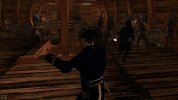
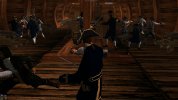
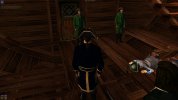
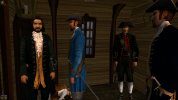
I can basically change my crew outfit at every level of the ship during boarding using that code now lol View attachment 37442 View attachment 37441 View attachment 37440 View attachment 37439
Oh also for skeletons the ID is "Skeletons" not "Skeleton". I
EDIT: Makes me wonder if we should add a dialogue to the tailor shop where he/she sells uniforms for your crew. Not a bad idea, no?
So, just one more thing, guess it might be a long shot to ask.. is there a way to do the same for ship deck and crew quarters? They are still dressed as pirates.. they are putting on their uniforms only during boarding.. lol
@DavyJack, I have a faint memory that you have some experience with doing that.And is there a way to change crew outfit during normal time when not boarding in ship deck and crew quarters?
Did I add a model change for ALL of them to soldiers in NK.c when you join a navy?EDIT: Makes me wonder if we should add a dialogue to the tailor shop where he/she sells uniforms for your crew. Not a bad idea, no?

I don't think so, Pieter.@DavyJack, I have a faint memory that you have some experience with doing that...
 I don't recall meddling with the crew besides my officers and the boarder models. I very rarely visit the crew's quarters anyway. Lol.
I'll try messing with some files and see if I can get anywhere....Did I add a model change for ALL of them to soldiers in NK.c when you join a navy?
If so, perhaps you can take that for inspiration.
And yep... I like the idea.
By all means, please add it.
Misremembered then.I don't think so, Pieter.

There should be a few listed in InternalSettings.h at line 338, line 339 and 340.Hi guys! I have the newest build and had partial success with this. I do have different soldiers during boarding, but they're all Nathaniel Hawks! Where can I find group names for different soldiers?
 ). Still, is there somewhere these groups are defined? I tried to search through c and h files, but no luck so far.
I forgot which files now.I tried to put it into the console reload as a group but it doesn't seem to work. They're still all Nathaniels (as in they're literally Nathaniel models, not Nathaniel's soldiers
pchar.boardingmodels = "Merchant_Soldiers";
pchar.boardingmodels = "Merchant_Officers";
pchar.boardingmodels = "Mummies";
pchar.boardingmodels = "Captains";
pchar.boardingmodels = "Skeletons";
pchar.boardingmodels = "boarder";