



• New Horizons on Maelstrom
    Maelstrom New Horizons


    Visit our website www.piratehorizons.com to quickly find download links for the newest versions of our New Horizons mods Beyond New Horizons and Maelstrom New Horizons!

Problem moving objects (loot) from inventory, corpses, chests and merchants.

Jason

Buccaneer
Storm Modder
Ahoy!

Suddenly mid game when I click on an object to buy, take or move and object the arrows don't come up. The only thing that happens is a description of the object appears. F11 does nothing. I hope there is a solution to this other than starting a new game.

Thanks.
 
There is a limit on how many items you can have in your inventory. If you are at that limit, you won't be able to take or buy anything else, except for more of something you already have.

See what happens if you give a few items to one of your officers. If you have more than one of the item, you'll need to give all of them to the officer - you want the item out of your inventory entirely so that you are back below the limit and can take another item.

If you're carrying items for their bonuses, most of them will still work if you put them into your ship's locker, such as items like the carpenter's toolkit or books like "Black Bart's Bumper Book of Boarding". So you can leave them in your cabin.
 
Ok,

I don't have that many items in the inventory and it won't let me give any to any officer. When I try to move any object it just gives the description. I does appear I can sell them.
 
Build 14 most recent upgrade. And it worked fine for about 4-5 months of game play time.
 
Can you upload a savegame? Then I'll have a look and see if I can figure out what's wrong.
 
That's a text file.

Find the original file in your "SAVE" folder. Use something like 7-Zip to compress it to a format which can be uploaded here.

Here's the 7-Zip site:
7-Zip
 
Thank you for the instruction.
 

Attachments

  • -=Player=- Barbados. Speightstown port.zip
    1 MB · Views: 106
That worked. The problem is - there wasn't a problem!

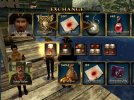
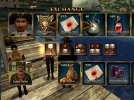
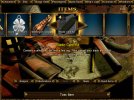
Giving bandages to an officer:
give_bandages.jpg bandages_given.jpg

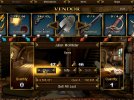
Buying a spade from a street merchant:
buy_vendor.jpg bought_spade.jpg

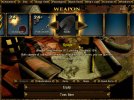
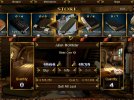
Buying blade care kits from a store:
buy_store.jpg bought_blade_care.jpg

Attached is a save from after I'd loaded your save and bought something. See if that helps.

Otherwise, try deleting the file "options" which you should find in the top level of the game installation. Next time you play, a new file will be created. If you changed anything in the "Options" menu, you'll need to change it again. The file sometimes becomes corrupted, especially if you've been playing the same campaign for a long time, and this can lead to all sorts of weird problems.
 

Attachments

  • -=Player=- Barbados. Speightstown port. October 17th, 1756 1.zip
    1,016.4 KB · Views: 95
Back
Top