• New Horizons on Maelstrom
    Maelstrom New Horizons


    Visit our website www.piratehorizons.com to quickly find download links for the newest versions of our New Horizons mods Beyond New Horizons and Maelstrom New Horizons!

Need Help Updating the Russian Translation

Better would be to add it to "RESOURCE\INI\TEXTS\RUSSIAN\Storyline\storyline_strings.txt" because Gillian Speedy is also a playable character. Take a look at the English version of the file, where you'll find that Purpure's last name "Longstride" is added, along with the names of some other characters.
 
I've already gone through everything and there are no problems except for this last name.
"Speedy" is already available in "RESOURCE\INI\TEXTS\RUSSIAN\Storyline\storyline_strings.txt ", but for some reason, the value "SpeedyBrig" from "common.ini" is taken instead.
 

Attachments

  • common.ini
    86.6 KB · Views: 91
  • storyline_strings.txt
    45.2 KB · Views: 73
That should not be possible. It is the whole reason for changing the key in "common.ini" from "Speedy" to "SpeedyBrig". Only the entry in "Ships_init.c" for "HMS_Speedy" should refer to "SpeedyBrig". Gillian's last name in "PROGRAM\Storyline\FreePlay\characters\init\TempQuestEnemy.c" should be 'TranslateString("","Speedy")'. If the Russian version doesn't have an entry for "Speedy" because "common.ini" has changed to "SpeedyBrig" then 'TranslateString' should default to English, where it will find the entry in English "storyline_strings.txt".

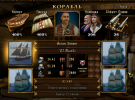
Now try an experiment. If you have not already done so, edit "PROGRAM\InternalSettings.h" to enable cheatmode. Start a game as Gillian Speedy, who is a naval officer and will receive a new ship when she is promoted. Press numeric keypad '9' to promote yourself up to rank 8, Rear Admiral, when you should receive HMS Bellona. Either the ship's name or the ship's class will probably look odd. The entry in "common.ini" for "Bellona" has also changed for the same reason and if "Speedy" isn't working properly, "Bellona" probably won't work either. (For that matter, when you reach rank 3 and get an actual "Speedy" class brig, the ship's class name will probably look wrong.)

Incidentally, unlike almost all other names, Gillian Speedy's last name should be translated. Her model description is supposed to be a joke based on the name:
Code:
"Gillian Speedy, captain of a Speedy class brig. But she'll need to earn it - speedily!"
That won't work if her name is merely "Speedy" converted to Cyrillic letters. More such jokes may appear in the future.
 
Now try an experiment. If you have not already done so, edit "PROGRAM\InternalSettings.h" to enable cheatmode. Start a game as Gillian Speedy, who is a naval officer and will receive a new ship when she is promoted. Press numeric keypad '9' to promote yourself up to rank 8, Rear Admiral, when you should receive HMS Bellona. Either the ship's name or the ship's class will probably look odd. The entry in "common.ini" for "Bellona" has also changed for the same reason and if "Speedy" isn't working properly, "Bellona" probably won't work either. (For that matter, when you reach rank 3 and get an actual "Speedy" class brig, the ship's class name will probably look wrong.)
In Gillian's FreePlay, everything is displayed correctly.
 

Attachments

  • 12412.png
    12412.png
    783.5 KB · Views: 120
  • Безымянный231213.png
    Безымянный231213.png
    824.7 KB · Views: 128
I'm not so sure. The ship's name appears as "Bellona class 3rd Rate" and neither ship shows its class name on the interface picture.

The version of "common.ini" which you uploaded still has "Bellona" and "Speedy" as the keys for the ship class translations. That would be why Gillian Speedy's name translates as "Speedy class brig". It's also why the ship appears to be named "Bellona class 3rd Rate". Meanwhile, "Ships_init.c" uses the new keys "BellonaClass" and "SpeedyBrig", which aren't translated in Russian "common.ini", and that's why you do not see ship class names on the ship icons.

Try the attached version of Russian "common.ini". As far as I can tell by using WinMerge, it is the same as yours except that "Bellona" and "Speedy" are now "BellonaClass" and "SpeedyBrig". That should make ship names appear correctly. And, after you start a new game, Gillian Speedy's name should be correct in Purpure's game.
 

Attachments

  • common.ini
    86.6 KB · Views: 92
I'm not so sure. The ship's name appears as "Bellona class 3rd Rate" and neither ship shows its class name on the interface picture.

The version of "common.ini" which you uploaded still has "Bellona" and "Speedy" as the keys for the ship class translations. That would be why Gillian Speedy's name translates as "Speedy class brig". It's also why the ship appears to be named "Bellona class 3rd Rate". Meanwhile, "Ships_init.c" uses the new keys "BellonaClass" and "SpeedyBrig", which aren't translated in Russian "common.ini", and that's why you do not see ship class names on the ship icons.

Try the attached version of Russian "common.ini". As far as I can tell by using WinMerge, it is the same as yours except that "Bellona" and "Speedy" are now "BellonaClass" and "SpeedyBrig". That should make ship names appear correctly. And, after you start a new game, Gillian Speedy's name should be correct in Purpure's game.
I'm sorry, it turns out that I made changes to the "common.ini", but forgot to save the file to notepad++. Everything is working properly now.
 
1) In the file "ENGLISH\Storyline\Assassin\QUESTBOOK\Departure.txt " the variable "#sCayman#" doesn't seem to work.
2) "El Diablo" doesn't have a translation.
 

Attachments

  • 21314.png
    21314.png
    518 KB · Views: 113
  • 12456.png
    12456.png
    541.3 KB · Views: 124
  • 1759668046867.png
    1759668046867.png
    794.6 KB · Views: 114
Last edited:
1: Replace it with "#sGrand Cayman#". You'll need to start a new game to see the result because the entire questbook is read when the quest starts, so any change you make to the file won't show up in a current game.

2: Add it to the bottom of "RESOURCE\INI\TEXTS\RUSSIAN\Storyline\Assassin\storyline_strings.txt". Also add a line for "The Mischievous". This is the name for a tartane which Elting gets later in the story.
 
Odd. Usually I am quite good at spotting double spaces or spaces before punctuation, both signs of a preprocessed variable not being filled in. What is really odd is that I have saves from some previous games of "Assassin", one or two quite recent, and they all say "I'll start on the island Cayman in Grand Cayman port." Even odder is that I can not see how this ever worked! Town and island names are set in "PROGRAM\utils.c", which has had "Grand Cayman" for the town name for ages, so "#sCayman#" should never have worked. And when I started a new "Assassin" game, it did indeed show a blank there.

I've changed "Departure.txt" to use "#sGrand Cayman#" in all language versions, including English and Russian. That worked:
departure_russian.jpg
I can't read Russian but I can read Cyrillic letters, and that looks like "Grand Cayman" in Cyrillic - at least, it has what looks like "Cayman" twice, once directly after another word which could be Russian for "Grand", and again right at the end where the Russian file has "#sisland_Cayman#".

Attached is the fixed Russian file. Also attached is English "interface_strings.txt". This has three new lines starting at 39, used for the changes to sea law:
 

Attachments

  • Departure.txt
    1.3 KB · Views: 64
  • interface_strings.txt
    144.4 KB · Views: 62
Small suggestions for improving the storyline:
1) If I don't defeat Harold Flesher, it will be impossible to continue the game. The quest book doesn't record any information about him reaching the residence.
2) There is no hint that Pelagius Lizarraga is to be found in the catacombs. Perhaps on the pier you need to make a conversation with yourself that Elting heard some screams from the cave.
 
1: That is correct, you have failed the mission and can not continue. There is a timer which will trigger 30 days after you received the mission, which will add a new questbook entry "Failure". If you then go anywhere near Cuba, you will teleport to the Vice Admiral's office and end up hanging. Beyond that, if @Bartolomeu o Portugues approves, it should be possible to write a quick ending after you've failed to kill Harold Flesher - when you return to where you moored your ship, Chico Cois asks you what happened, you say you failed to kill Harold Flesher, then Chico Cois kills you. But really, you should have no trouble killing him because his HP has been set low, so if you hit him with a poisoned throwing knife soon after he first appears, he should die before he gets to the residence.

2: The whole point is that you have to search Speightstown to find him. There is no need to make it easier.
 
Beyond that, if @Bartolomeu o Portugues approves, it should be possible to write a quick ending after you've failed to kill Harold Flesher - when you return to where you moored your ship, Chico Cois asks you what happened, you say you failed to kill Harold Flesher, then Chico Cois kills you. But really, you should have no trouble killing him because his HP has been set low, so if you hit him with a poisoned throwing knife soon after he first appears, he should die before he gets to the residence.
No problem, if someone wants to add a quick ending.
2: The whole point is that you have to search Speightstown to find him. There is no need to make it easier.
Right.
Not interesting, if the player knows where he has to go when arriving to Speightstown.
 
Done. The zip includes updated "quests_reaction.c", "Chico Cois_dialog.c", and "Chico Cois_dialog.h" with four new lines at the end. @AkrimalS: you'll want to translate that.

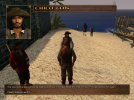
And so, having let the captain go to the town hall, I return to the port, where Chico Cois is waiting...
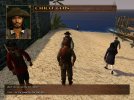
chico1.jpg chico2.jpg

He's immortal. You're not, even if you're using cheatmode and have set yourself to be immortal, because the ending includes a line to disable the player's immortality.

@Bartolomeu o Portugues: Here's another idea. At each place where a "viagem_timer" is triggered, set an attribute on the player to indicate which questbook is active, e.g.:
Code:
PChar.quest.timerbook = "Apprenticeship";
Then at case "viagem_fin_timer", add:
Code:
CloseQuestHeader(PChar.quest.timerbook);
DeleteQuestAttribute("timerbook");
Case "viagem_fin_timer" is used for all timers. It removes Chico Cois, turns Spain hostile, adds a questbook "Failure", and sets a trap in case the player sails near Cuba. The addition would also close whichever questbook was active when you ran out of time, so that the "Apprenticeship" questbook, for example, does not remain permanently open if you don't complete the first mission in time.[/code]

 

Attachments

  • PROGRAM.zip
    44 KB · Views: 90
Last edited:
Done. Also, there was a far more serious problem. Even after he's dead, Harold Flesher still seems to be making his way to the town hall and when the game thinks he's there, the code for the quick ending triggers. So you kill him, go back to the house, talk to the spy, return to the town and then to the port, and Chico kills you.

I've re-uploaded the file in the previous post. It now contains the updated "quests_reaction.c". Rebirth is disabled when Chico attacks you. And the code to set the trigger for Chico's attack now checks that Harold Flesher is still alive; if he is dead, it does nothing.
 
Case "viagem_fin_timer" is used for all timers.
No, it's not. It's used for "viagem_timer1" (time limit for the mission to Grand Cayman and also for the mission to Hopital), and for "viagem_timer2" (time limit for the mission to Speightstown). But "viagem_timer3" (time limit for the mission to St. Pierre) triggers case "viagem_fin3_timer", and "viagem_timer5" (time to return to the Vice Admiral after some freeplay time in "The Oranjestad' siege") triggers case "viagem_fin_timer5". Case "viagem_fin3_timer" already closes questbook "Alliance", case "viagem_fin_timer5" doesn't close anything.

So "viagem_fin_timer" seems only to be used for the missions in "The Apprenticeship". All that is needed, then, is to close questbook "Apprenticeship" in case "viagem_fin_timer".
 
I uploaded my translation changes.
The translation of the quests for the Purple storyline, minor changes in the free game, and changes to the assassin storyline, which I was halfway through.
 
Last edited:
Thanks, @AkrimalS! :onya

Just one small detail. File "quest_smuggler_02_dialog.h" should be in "PROGRAM\DIALOGS\RUSSIAN", not in "PROGRAM\Storyline\standard\DIALOGS\RUSSIAN". This is because at some time I hope to make a FreePlay smuggler version of the quest. So files need to be found by both the storyline and FreePlay.
 
Is it already in "PROGRAM\DIALOGS\RUSSIAN", do I need to remove it from "PROGRAM\Storyline\standard\DIALOGS\RUSSIAN"?
 
The file is in "PROGRAM\DIALOGS\RUSSIAN" in my update folder. It does not seem to be there in the folders which you uploaded to Yandex, but it is in "PROGRAM\Storyline\standard\DIALOGS\RUSSIAN". The two files are currently identical, so all you need to do is move your file into "PROGRAM\DIALOGS\RUSSIAN".
 
Back
Top